Reducing Docker Image Sizes with Multi-Stage Builds
Published
Reducing Docker Image Sizes with Multi-Stage Builds and Slim Base Images
Reducing the size of your Docker images is crucial for optimising cost and resource consumption, especially when running thousands of containers in production. By utilizing multi-stage builds combined with slim base images, you can significantly decrease image sizes — from as large as 1GB down to just 30MB. This not only saves on storage and bandwidth but also improves deployment speed and efficiency.
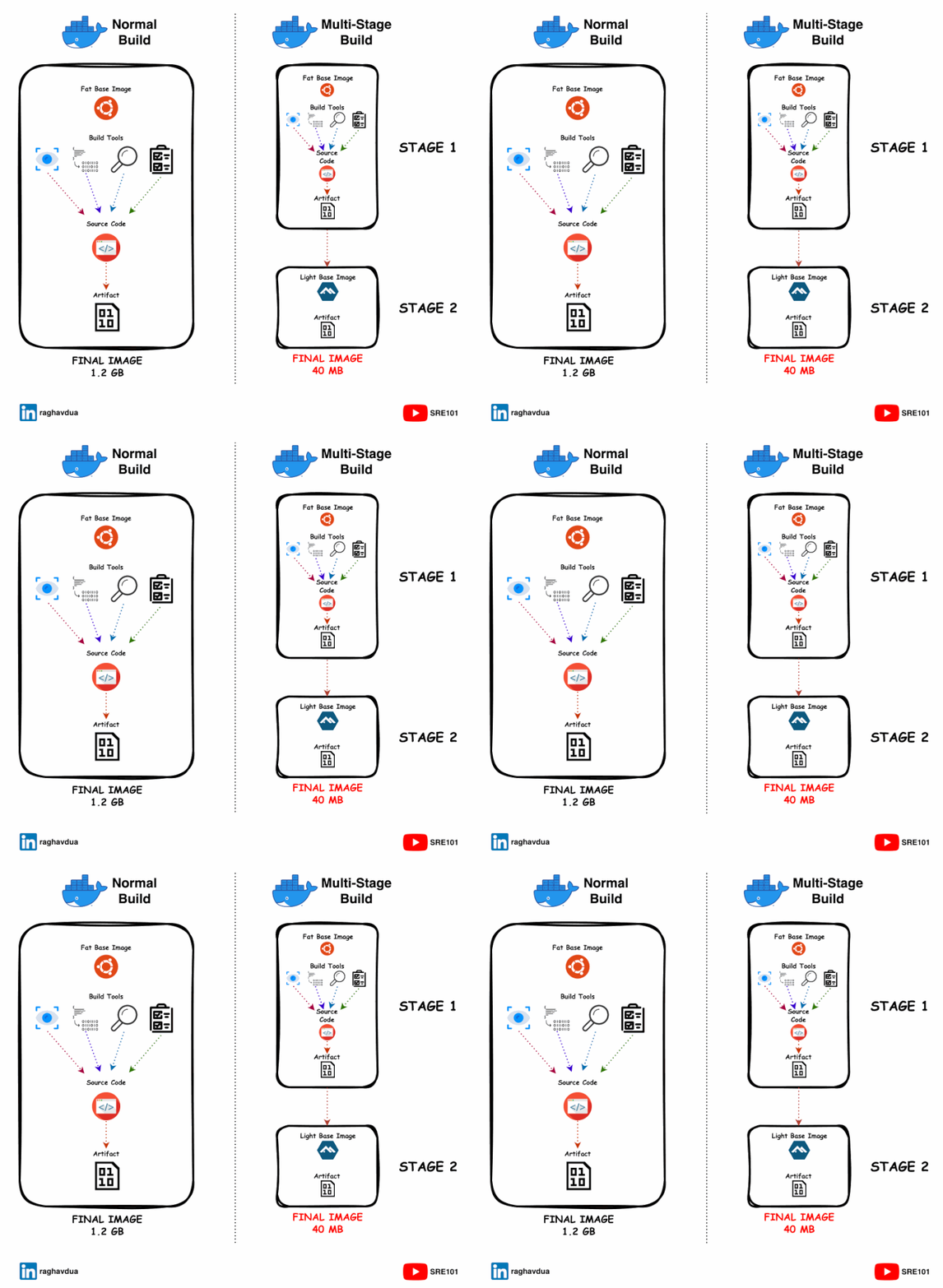
The Basics of Docker Multi-Stage Builds
**1. Initial Setup with a Fat Base Image: ** — Typically, you begin with a comprehensive base image like Ubuntu or a language-specific image. These images are packed with essential build tools such as compilers, which are necessary for the build process.
**2. Building with Dependencies: ** — Next, you run commands to download necessary dependencies, including libraries, testing frameworks, linters, and security scanners. These tools ensure your code meets quality standards and compiles correctly to produce the final artifacts.
**3. Production Deployment: ** — After building your application, it’s ready for deployment. However, the image now contains all the build dependencies, which are no longer needed for running the application in production.
In a traditional approach, this results in a bloated production image. For instance, a C++ application only needs the compiled binary for production, but the image still carries the 900MB of build tools and dependencies.
The Solution: Multi-Stage Builds
Multi-stage builds revolutionize this process by allowing you to define multiple stages in your Dockerfile. Each stage is introduced with a FROM <base image> statement. Here’s how it works:
Stage 1: Build Stage:
- Use a fat base image with all necessary build tools.
- Compile and build your application.
Stage 2: Final Stage:
- Use a slim base image like Alpine or Distroless.
- Copy only the final executable or necessary files from the build stage to this stage.
This approach effectively separates the build environment from the production environment, ensuring that only the essential components are included in the final image. The result is a significantly smaller and more efficient image.
Originally published on Medium.
Ready to apply? Browse open roles on FzlOps · get daily alerts on WhatsApp above.